
How to Create Edgy Photo Edits: Dark & Moody Photography Tips That Stand Out
Nov 18
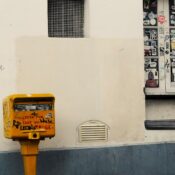
I’m thrilled to dive into the fascinating world of edgy photo editing, where creativity knows no bounds! In today’s digital age, the power to transform ordinary photos into striking masterpieces lies right at our fingertips. From dreamy matte effects to Y2K-inspired grunge filters, there’s an endless array of possibilities to make your images truly stand out.
Whether you’re looking to enhance your Instagram feed or create a stunning portfolio, modern photo editing has evolved beyond simple filters. I’ve watched in amazement as photographers across all genres – from nature to sports – have embraced these powerful post-processing techniques to elevate their work. The best part? You don’t need to be a professional to create eye-catching edits that’ll make your followers stop scrolling and take notice.
Understanding Edgy Photo Editing Styles
Photo editing styles create distinct visual signatures that set images apart in today’s digital landscape. These techniques transform ordinary photos into compelling artistic statements through specific adjustments and effects.
Dark and Moody Aesthetics
Dark and moody edits emphasize contrast and cooler temperature settings to create dramatic atmospheres. Setting color temperatures between 3500-4000K shifts greens toward blue tones, establishing a mysterious ambiance. The process involves:
- Increasing shadows for depth
- Adjusting highlights to preserve detail
- Fine-tuning blacks and whites for optimal contrast
- Balancing selective color temperatures for targeted areas
Grunge and Vintage Effects
Grunge effects inject raw, underground energy into images through deliberate imperfections. The style emerged from 1990s subculture and continues to evolve through:
- Low saturation adjustments
- Textured overlays
- Noise elements
- Muted color palettes
- Film grain simulation
- RGB channel splits
- Pixel sorting
- Wave distortions
- Scan line effects
- Digital artifacts
- Static noise patterns
| Effect Type | Primary Characteristics | Impact Level |
|---|---|---|
| Dark Moody | Cool tones, high contrast | Dramatic |
| Grunge | Low saturation, grain | Raw |
| Glitch | Digital artifacts, distortion | Modern |
Essential Editing Techniques
Creating edgy photo edits requires mastering specific tools and techniques in photo editing software. These fundamental methods transform ordinary images into striking visual compositions that command attention.
Mastering Contrast and Exposure
Contrast manipulation forms the foundation of edgy photo edits. The curves tool offers superior control compared to basic contrast adjustments, allowing precise modifications to specific tonal ranges. Creating a subtle S-shape curve increases contrast by deepening shadows and brightening highlights simultaneously. For optimal results:
- Adjust shadows to create rich, deep blacks
- Fine-tune highlights without losing detail
- Use the blacks and whites sliders for additional tonal control
- Monitor histogram changes to prevent clipping
Working with Color Temperature
Color temperature adjustments dramatically impact the mood of edgy photos. Setting temperatures between 3500K-4000K creates a cooler, more dramatic atmosphere. To enhance the effect:
- Lower temperature values for blue-tinted shadows
- Selectively adjust warmth in highlight areas
- Balance cool tones with targeted white balance
- Use split toning to separate shadow and highlight colors
- Apply film grain simulation for vintage appeal
- Layer texture overlays at reduced opacity
- Adjust clarity settings to enhance surface details
- Use selective sharpening to emphasize key areas
| Element | Recommended Range | Effect |
|---|---|---|
| Temperature | 3500K-4000K | Dramatic cool tones |
| Contrast | +15 to +40 | Enhanced depth |
| Grain Amount | 15-30 | Film-like texture |
Advanced Editing Methods
Advanced photo editing transforms ordinary images into extraordinary artistic expressions through sophisticated techniques. These methods create unique visual signatures that set images apart from standard edits.
Custom Color Grading
Cross-processing techniques create otherworldly color palettes in digital images. I achieve this by:
- Adjusting specific color channels in shadows midtones & highlights
- Creating unexpected color combinations like red skies from blue originals
- Oversaturating select colors while muting others
- Applying split-toning to create distinct color moods in highlights & shadows
Strategic Light Manipulation
- Isolating specific areas for targeted exposure adjustments
- Creating contrast between deliberately overexposed & underexposed regions
- Adding directional lighting effects to emphasize textures
- Manipulating highlights to create ethereal glows in key areas
- Adding thematic shapes & geometric patterns
- Converting select areas to monochrome while preserving color accents
- Applying selective blur & focus effects
- Creating deliberate digital artifacts for artistic impact
| Effect Type | Impact on Image |
|---|---|
| Cross-Processing | Otherworldly tones & unexpected color shifts |
| Light Manipulation | Enhanced depth & dramatic contrast |
| Distortion | Unique artistic signature & visual interest |
Key Elements for Edgy Photos
Creating edgy photo edits requires mastering specific visual elements that work together to produce a striking impact. These fundamental components transform ordinary images into compelling artistic statements.
Shadows and Highlights Balance
Deep shadows create mystery in edgy photos while preserving highlight details adds dimension. I enhance shadows by lowering the blacks to -30 or -40 in the tone curve panel. Bright highlights stay between +15 to +20 to maintain texture without washing out important details. This dramatic contrast ratio of 1:4 produces an edgy look that commands attention.
Selective Color Adjustments
Targeted color modifications amplify the edgy aesthetic through strategic saturation control. I desaturate skin tones to 70% while boosting vibrance in specific color channels:
- Red channel: -15 saturation for muted undertones
- Blue channel: +20 saturation for added depth
- Green channel: -25 saturation for urban feel
- Corner vignette: 25-35% darkness at 50% feather
- Radial filters: -0.5 exposure on face edges
- Gradient overlays: 15% opacity for top-down shadows
| Adjustment Type | Recommended Value | Impact |
|---|---|---|
| Shadow Depth | -30 to -40 | Creates mystery |
| Highlight Range | +15 to +20 | Preserves detail |
| Vignette Strength | 25-35% | Draws focus |
| Color Desaturation | 70% | Enhances edge |
Key Takeaways
- The key to edgy photo editing lies in mastering contrast manipulation, with an ideal contrast ratio of 1:4 and shadow depths between -30 to -40
- Color temperature adjustments between 3500K-4000K create dramatic atmospheres, especially when combined with selective desaturation techniques
- Advanced edgy effects can be achieved through cross-processing, strategic light manipulation, and custom color grading across different channels
- Essential elements include deep shadows, preserved highlights (+15 to +20), and targeted vignetting (25-35% darkness) to draw focus
- Grunge and vintage effects are created using film grain simulation, textured overlays, and muted color palettes with reduced saturation
Conclusion
I’m thrilled to see how far photo editing has come and I can’t wait to see what you’ll create with these techniques! Remember that developing your unique style takes time and practice but the results are absolutely worth it. These edgy editing techniques will help you stand out in today’s digital world.
Don’t be afraid to push boundaries and experiment with different combinations of effects. Your creative journey is just beginning and I’m excited to see your photos transform into powerful artistic statements that capture attention and inspire others.
Now it’s your turn to dive in and start creating those eye-catching edits that’ll make your photos impossible to ignore!